


Check-In Instructions for Harmony Athens City Apartment
Welcome to Harmony Athens City Apartment!
We are excited to host you and we want your stay to be as smooth and comfortable as possible. Please find below all the details you need for an easy check-in.
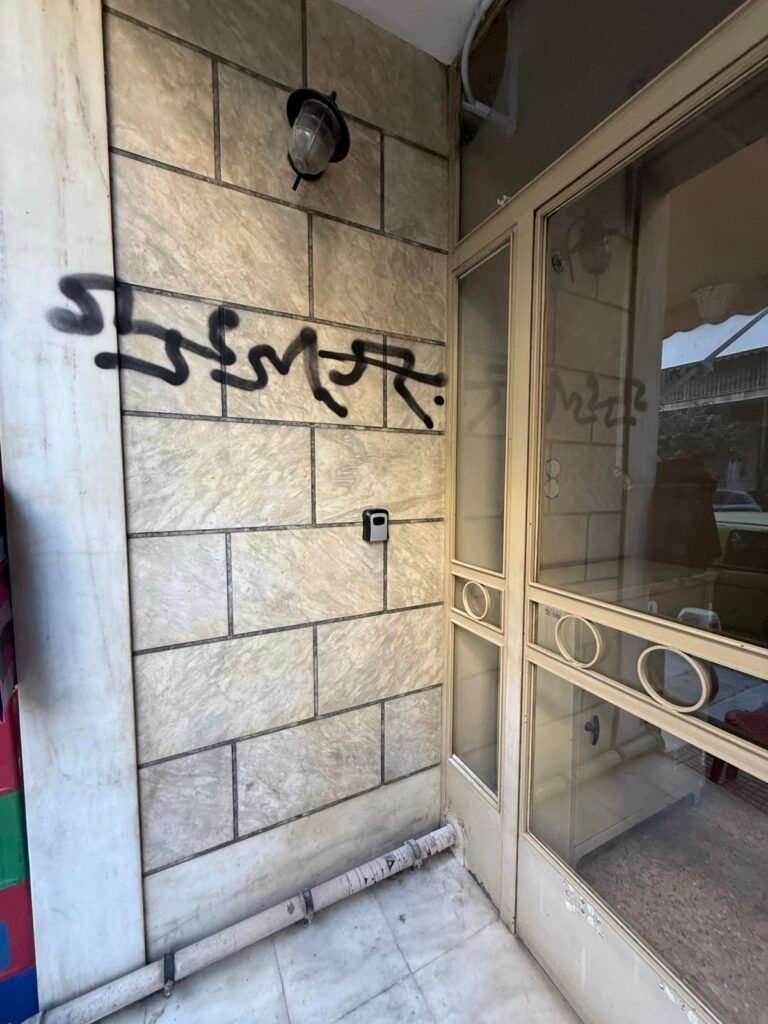
- Locker Location: The correct locker is the middle one (see photo above).
- Locker Code: Please contact us via WhatsApp 1 hour before your check-in time to receive the correct code.`
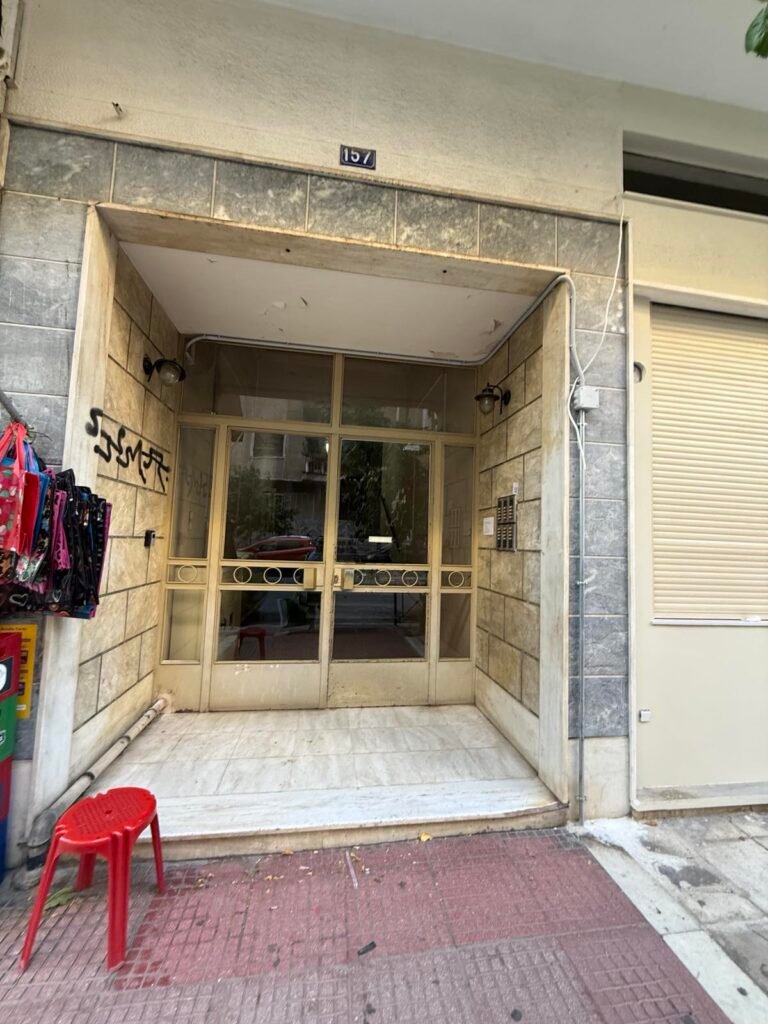
Entrance Instructions
- Main Entrance: This is the main entrance to the building (see photo above).
- Access: Use the top locker to retrieve your key (as described earlier).
- Once inside, take the elevator or stairs to the 4th floor.
- Apartment Door: The apartment door is equipped with a security lock (see photo below for reference).
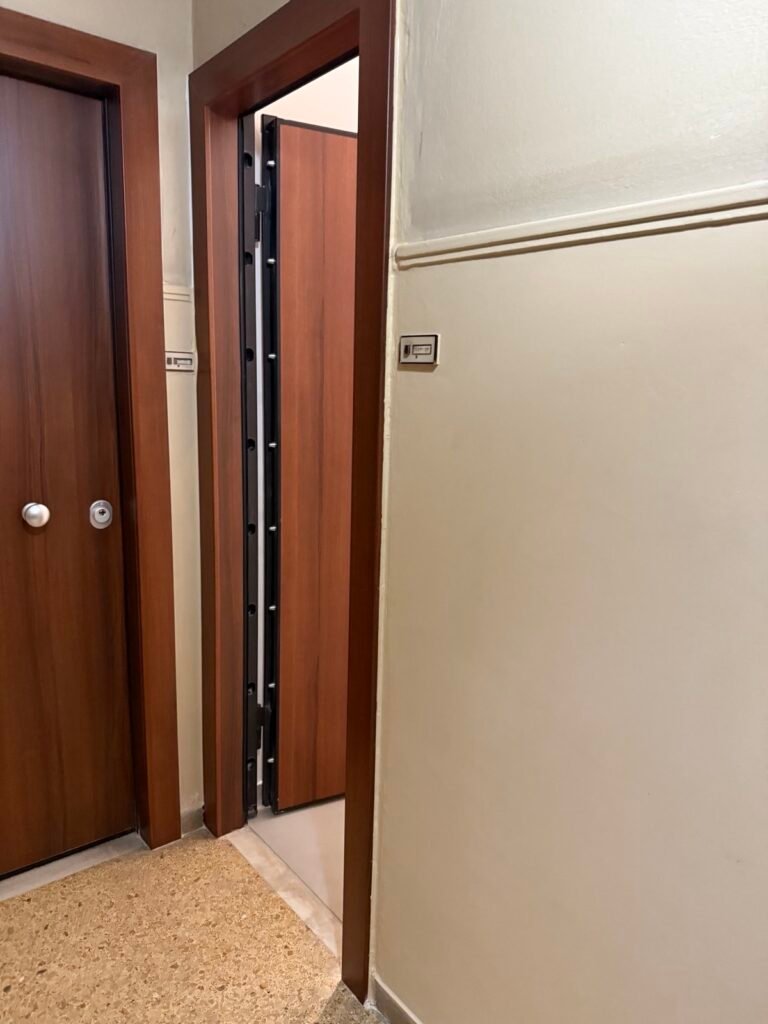
Apartment Door
- The apartment door is equipped with a security lock (see photo below).
- How to Use the Key: Insert the key as shown in the photo, with the top side facing upwards, to unlock the door.
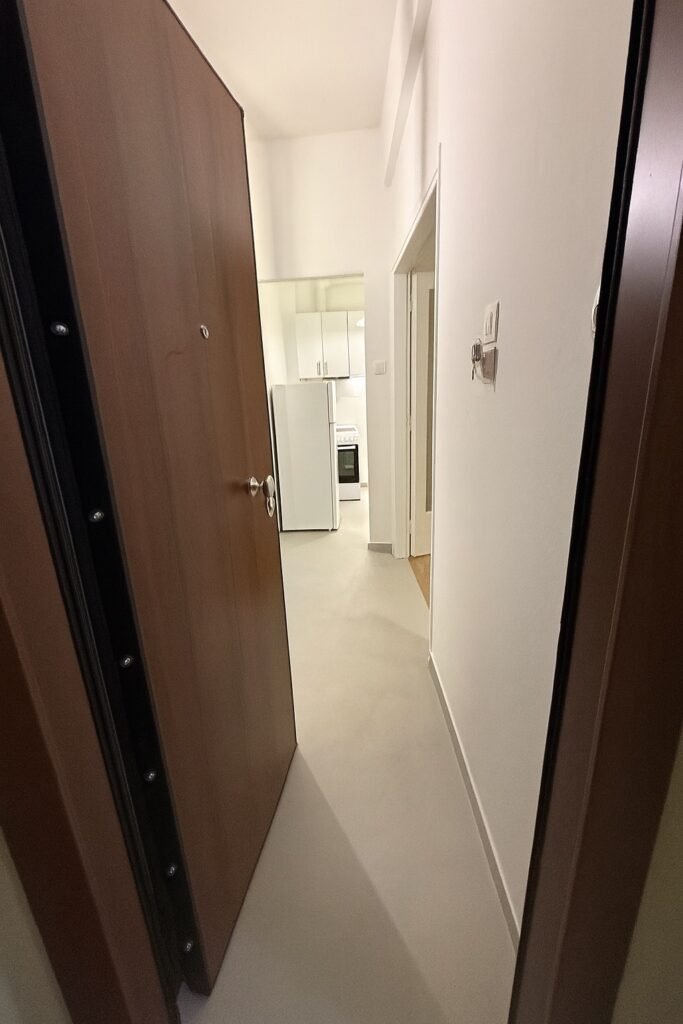
Power Activation
- Once inside the apartment, place the magnetic card behind the door (see photo) to activate the electricity in the property.
Electrical Panel Instructions
The electrical panel is located inside the apartment (see photo above).
Switch “Θ” controls the water heater (thermosifonas).
- How to use the water heater:
- Turn on the switch “Θ” to heat the water.
- Wait approximately 30 minutes for the water to heat up.
- Once the water is heated, turn off the switch before taking a shower.
- Important: Do not take a shower with the water heater on to avoid any risk of electric shock.
- How to use the water heater:
Switch “K” controls the kitchen appliances.
- Important: Always ensure the kitchen appliances are turned off after use to prevent any accidents.
Your safety is our priority! If you have any questions, feel free to contact us.